Toddler bedtime routine app with lullabies
A bedtime routine app shows a toddler the evening in order, one step at a time, so “what comes next” is a picture and not an argument. In Snoozaroo the child’s pal does each step with them on the bedroom tablet: bath, teeth, pyjamas, a book. Then a lullaby plays while the screen dims, the pal goes to sleep under six stars, and the sleep clock takes over until morning.
Why a bedtime routine app uses pictures
A two-year-old cannot hold a list in their head, but they can follow a sequence they can see. That is the idea behind a visual schedule: each step has a picture, the steps come in the same order, and the child can tell what is done, what is happening now and what is next. NHS guidance for parents points the same way on consistency: “Make sure you are consistent with bedtimes and naptime.” Source: Sleep routines for toddlers and children, Cambridgeshire and Peterborough NHS (https://cambspborochildrenshealth.nhs.uk/sleep/healthy-sleep-routines/sleep-routines-for-toddlers-and-children/).
A routine on a screen does not replace you. You still run the bath and brush the teeth. The screen keeps the order, so the order is not up for negotiation.
The steps you can choose
You build the routine from the activities the pal already plays, in the order your family does them:
- Bath
- Put on pyjamas
- Brush teeth, with a two-minute timer and its own song
- Wash hands
- Toilet
- Read a book: your own, or a story narrated in the app
- Tidy up
- Chalkboard
A routine has up to eight steps, and a step can appear twice, such as washing hands after the toilet. Nothing is chosen for you.
What your child sees
A row of small pictures along the top of the screen shows which steps are done, which one is on now and what comes next. A short card introduces each new step, and the pal does it with them. A step ends when your child taps All done, when its timer finishes, or when a grown-up moves it on.
Only a grown-up can start, stop or restart a routine. On the tablet, holding the padlock for three seconds moves the routine on a step. That hold has no PIN, so a child who learns it can move a step on, and no more than that.
Two ways to start it
- I’ll start it when we’re ready. You tap Start on your phone or on the tablet, while Snoozaroo is open on the tablet. The pal says goodnight as soon as the steps and the lullaby end, whether that is earlier or later than the usual bedtime. If nobody starts it, the pal goes to sleep at the bedtime you set, as on any other night.
- Asleep by bedtime. Snoozaroo works back from the bedtime and starts the routine by itself, if the app is open on the tablet at that time. You can still start it early.
Before you start one by hand, the app shows you what time goodnight will be. Running late cuts nothing short: every step runs to its end, tonight’s bedtime moves, and the wake-up time stays where you set it.
The lullaby and the wind-down
When the last step ends, a lullaby plays while the pal is still awake and the screen dims from day to night. You choose one lullaby or a mix, how long it plays before goodnight, and how long it carries on afterwards. Then it fades into the sound you chose for the sleep, such as white noise or rain, or into silence.
You can use the lullaby without a routine, and a routine without a lullaby.

What is free and what comes with Plus
The sleep clock itself is free: the pal, the stars, the sunrise, bedtimes and naps. Bedtime routines, lullabies and the activities come with Plus, and every new family gets 14 days of Plus in the app with no card. On Free you can look at an example routine and hear a lullaby preview before you decide. If Plus ends, your routine and lullaby settings are kept and start again when Plus does. See plans and prices.
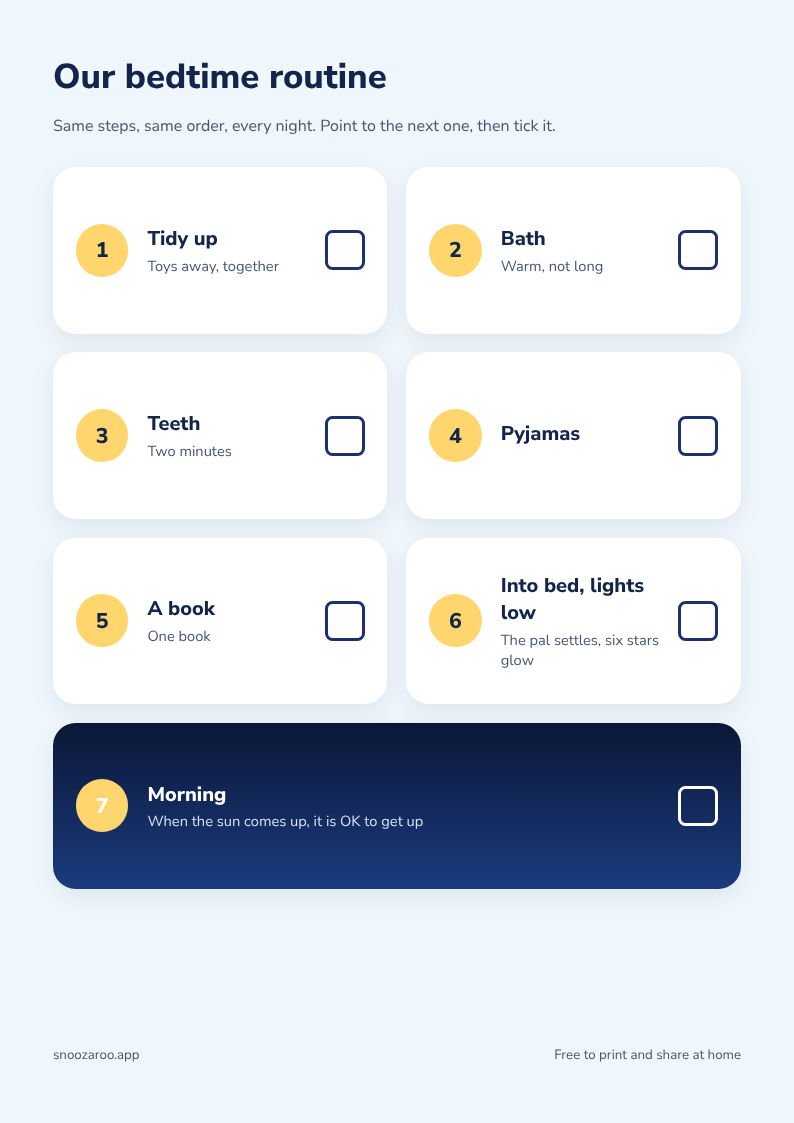
If you would rather have the routine on paper, the printable bedtime routine chart is free and needs no app.
Questions
Is there a free bedtime routine app?
The Snoozaroo sleep clock is free, and so is the printable chart. The routine on the screen and the lullabies come with Plus, which every new family gets for 14 days with no card.
Is it a visual schedule for the whole day?
No. Snoozaroo’s routines are for bedtime and for naps. It is a sleep clock first, and it does not plan the morning, meals or nursery.
Does a bedtime routine app mean more screen time?
It puts a screen in the routine, and that is a fair thing to weigh. The NHS advice is to switch off TVs, consoles and tablets an hour before bedtime. Most of Snoozaroo’s steps are an animation of the pal doing what your child is doing: the bath, the teeth, the pyjamas. The book step can play a narrated story. When the routine ends the screen dims to a still night scene. If you would rather have no screen at all, the printable chart does the same job on paper. What the screen shows at night, and what we do not claim is set out in full.
How long should a toddler’s bedtime routine take?
Short enough to do every night. Snoozaroo works out the length of yours from its steps and the lullaby, and shows it before you save.
Can my toddler start the routine on their own?
No. A grown-up starts it, from a phone or from the tablet behind the grown-up PIN. Your child taps All done on the step in front of them.
What happens if we are running late?
Nothing is cut. The routine runs through, bedtime moves later for tonight only, and the wake-up time does not change.
Does it work for naps?
Yes. A nap can have its own shorter routine, such as tidy up, a book and into bed. See a nap clock and quiet time clock.
Which lullabies are there?
A small set of gentle instrumental lullabies made for Snoozaroo, with no singing. You can hear one in the app before you choose.