
Is your toddler up before the sun every morning?
Help them understand when it’s time to get up.
Snoozaroo turns the Android phone or tablet you already own into a gentle sleep trainer clock, and it’s coming to iPad. Six glowing stars fade as sleep time passes, and their bedtime pal wakes with the sun when it’s OK to get up. No toddler clock to buy or wait on from overseas.
 Coming to Apple iPad soon
Pre-register on Google Play and it tells you the moment Snoozaroo is out in New Zealand. If you turn on auto-install, it installs for you on launch day.
- Free to start
- No extra clock to buy
- No ads on your child’s screen
From bedtime to good morning, one star at a time
Set the times on your phone. The screen does the rest.
Bedtime
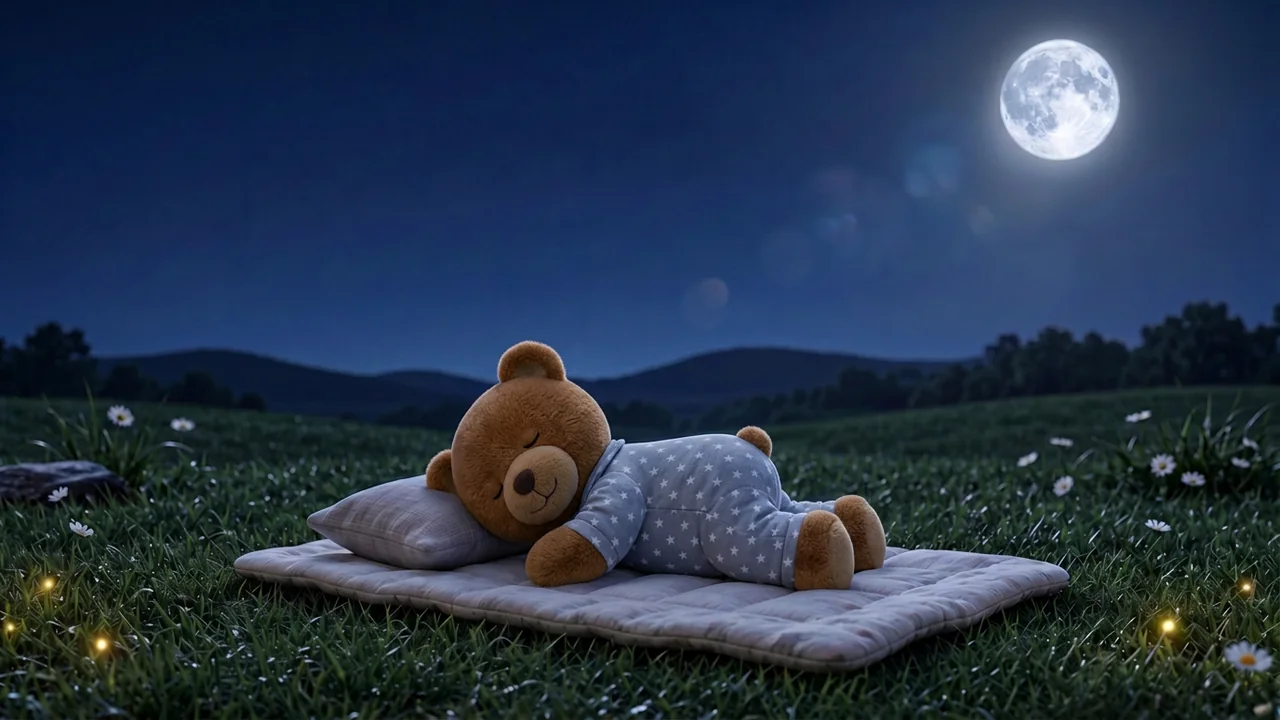
Their pal settles down and six stars light up.

Sleep time
The stars go out one by one as sleep time passes. While any are left, it’s still night.
Morning
The sun comes up and their pal shows it’s OK to get up. With Plus, a present appears, with a toy for the shelf.
Pyjama Ted’s night and day scenes are the app’s own. Press play on the clips to see them move.
Why New Zealand parents choose Snoozaroo
A sleep trainer clock they can understand
No numbers to learn. Glowing stars at bedtime and a friendly sunrise when it’s time to get up.
A bedtime pal they’ll love
Start with Pyjama Ted, free, or choose another calm pal.
Use the tablet you already own
No separate clock to buy or ship in. Set bedtimes, wake-up times and naps from your phone.
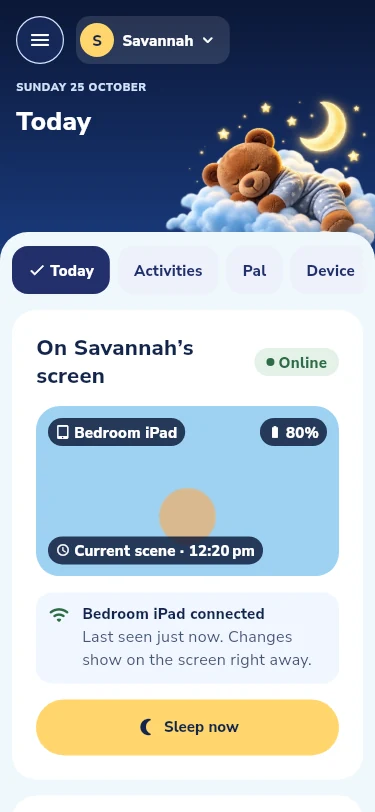
Their bedtime screen. Your phone. You’re in control.
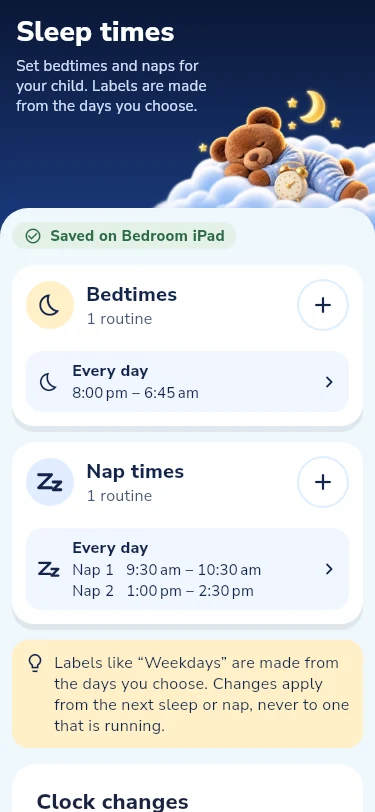
Set bedtimes and naps
Bedtime and wake-up for every day, naps for the days you choose. Save once and the screen has it.
Choose gentle sounds
Noise, nature or a lullaby, and when it stops. Quiet by default, under a cap you can lower.
Change the morning from the couch
Add fifteen minutes, start a nap or wake them now from any grown-up’s phone, while the app is open on the screen. With Plus.
More than a sleep trainer clock
With PlusGentle activities their pal does with them on the screen. Start one from your phone or let them pick, or line them up as a bedtime routine that ends with a lullaby. Slide to see them all.
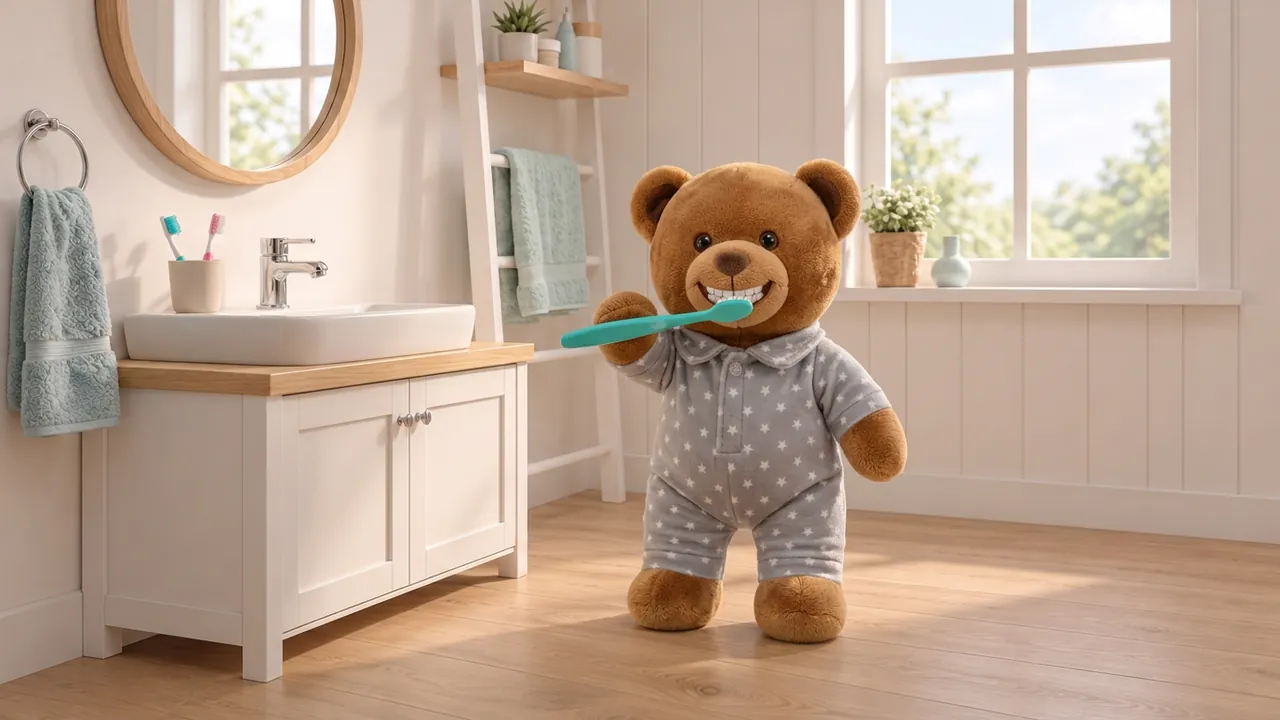
Brush teeth
A two-minute brush with its own song.
With Plus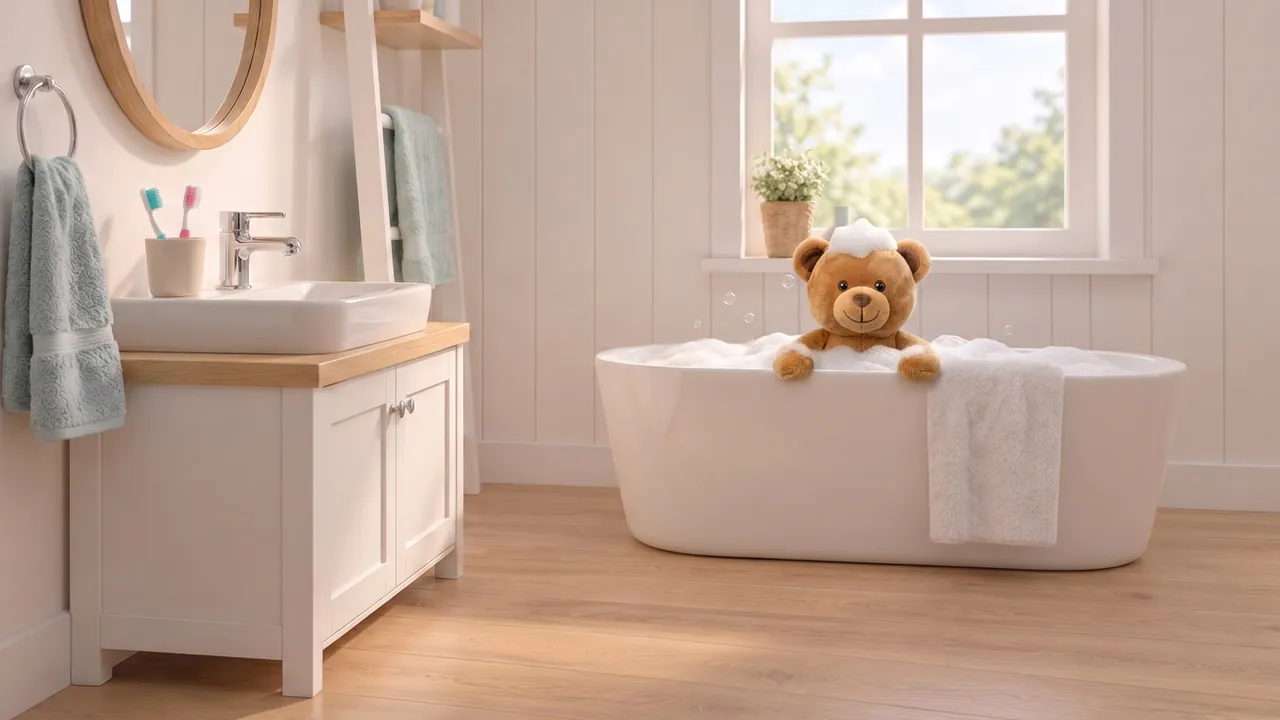
Bath
Bubbles on their head until they tap All done.
With Plus
Read a book
Grandpa Moon’s Lost Sock, page by page.
With Plus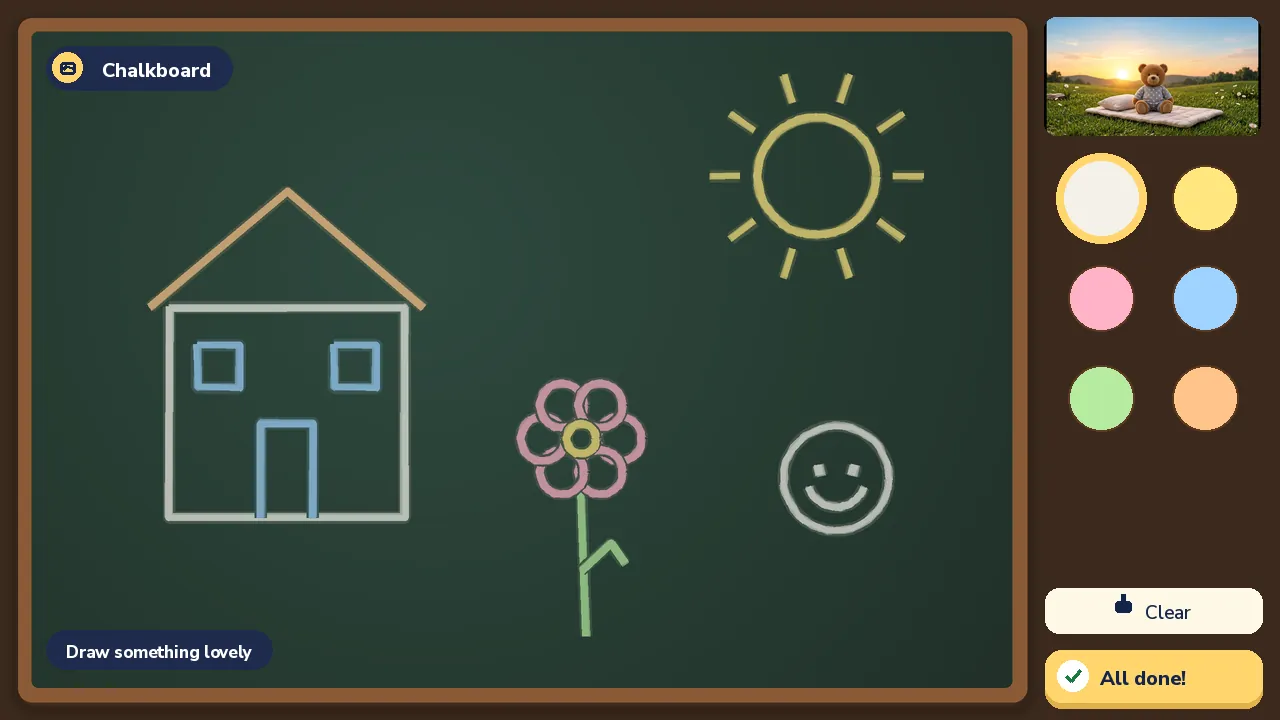
Chalkboard
Six chalks and a duster.
With Plus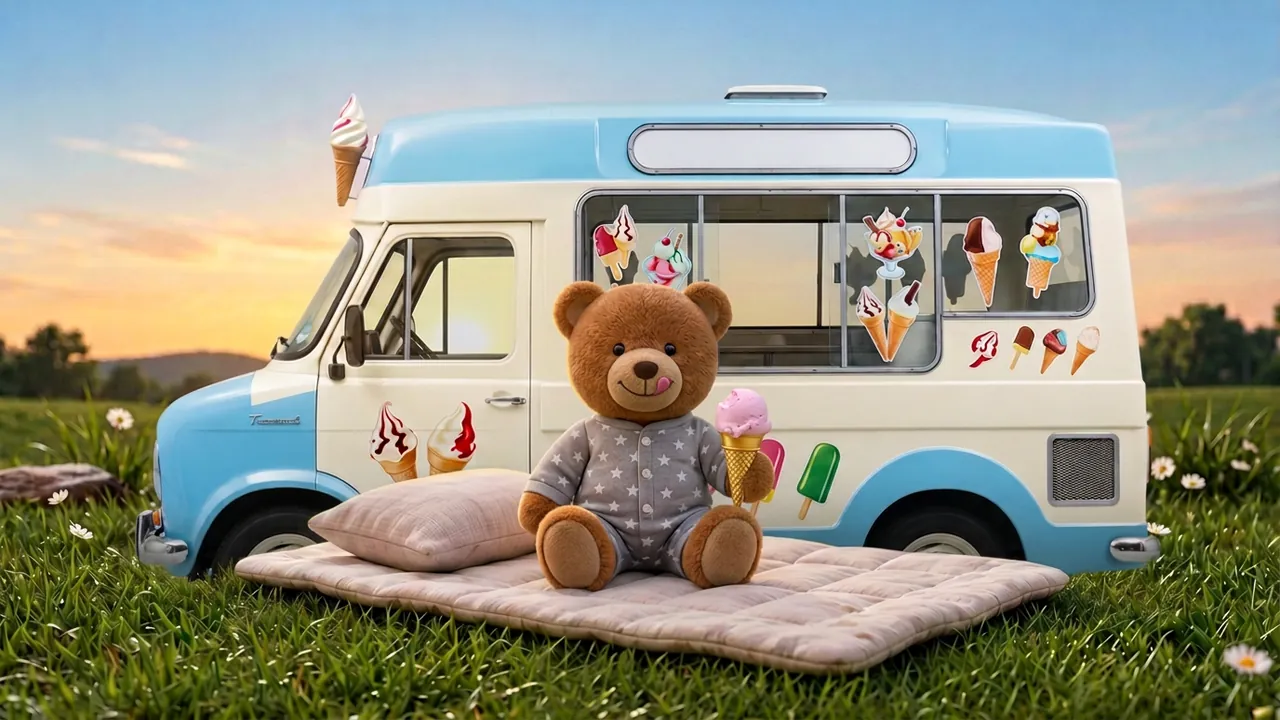
Ice cream van
The pal drives the van and serves its friends.
Stock pals, with Plus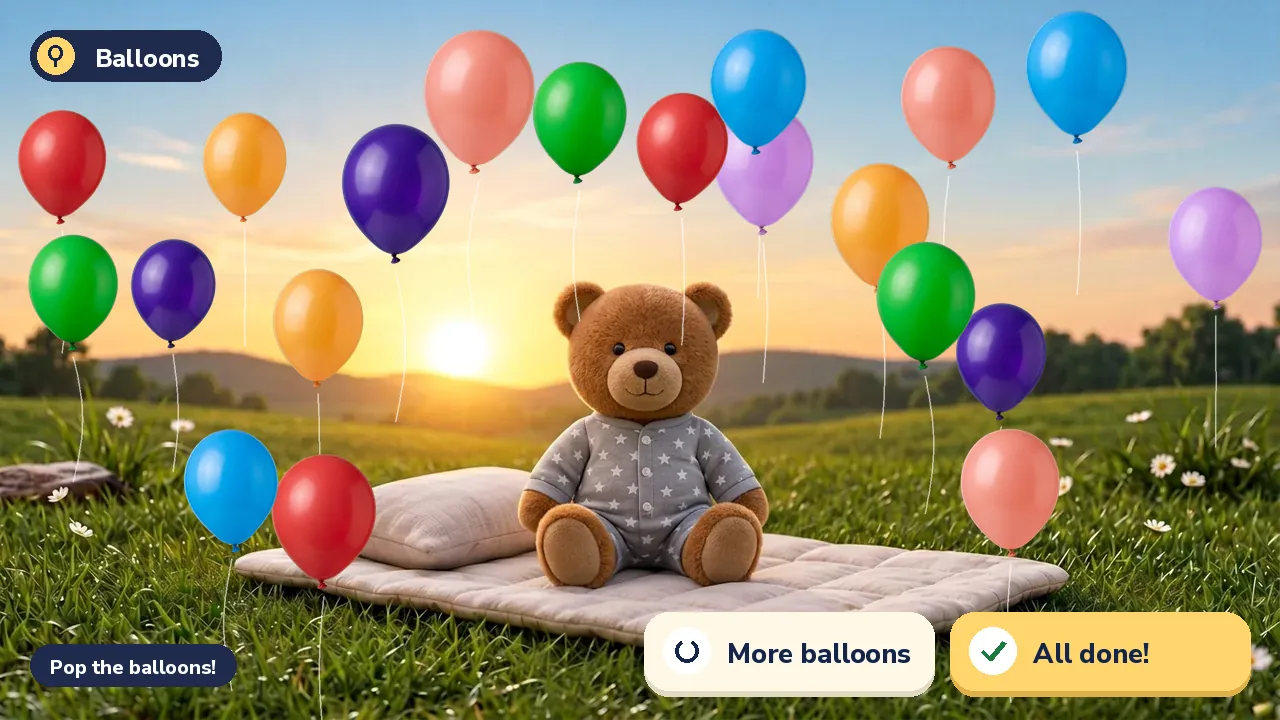
Balloons
The morning balloons, any time, until All done.
With Plus
Stills from the app. Each activity ends when they tap All done, and the screen goes back to the pal.
Gentle on their screen. Thoughtful about their privacy.
Calm by design
A dark, still night scene, as bright as you set it, with quiet sounds. Nothing moves except a star going out.
A screen just for them
No ads, purchases or outside links on the child’s screen. The grown-up controls sit behind a PIN.
Parents stay in control
Children are named by first name only. Delete a child, a pal or your account from the app, and this website measures nothing unless you say yes, and never tracks you across other sites.
Is a screen bad for a toddler’s sleep? Read what the night scene is
Start free. Plus when you want more.
Every new family gets 14 days of Plus with no card. When it ends, the clock stays free.
Free
NZ$0
Free for good, after the 14 days of Plus.
- Pyjama Ted, the stars and the sunrise
- Bedtimes, naps and wake-up times
- Basic sounds and the toy shelf
Plus
NZ$2.75 a month, paid yearly
NZ$32.99 a year, or NZ$5.49 month to month. Lifetime NZ$74.99, once.
- Every stock pal
- Remote control for every grown-up
- Bedtime routines, lullabies and the activities
- The morning present and the full sound library
Prices are set in Google Play and may change; you always see the current price before you pay. Compare all plans
Questions New Zealand parents ask
Do I need to buy a separate toddler clock?
No. Snoozaroo runs on an Android tablet or phone you already have, plugged in across the room. iPad is coming very soon.
Is Snoozaroo an OK to wake clock?
Yes. An OK to wake clock (also written okay to wake clock), a sleep trainer clock and a sleep training clock are names for the same idea: a clock that shows a young child when it is still sleep time and when it is OK to get up. Snoozaroo is one as an app: the stars go out one by one, and the sun comes up at the wake time you set. See what an OK to wake clock is, and when to start.
Is Snoozaroo a children’s alarm clock?
Not in the usual sense. An alarm clock wakes a child up. A sleep clock is for a child who is already awake: it shows them whether it is still sleep time or OK to get up. Snoozaroo can play a short, gentle wake sound when the sun comes up, if you want one.
Is Snoozaroo really free?
Yes. The sleep clock, Pyjama Ted, the stars, naps and the basic sounds are free, and stay free after the 14-day Plus trial. Plus adds every stock pal, remote control for every grown-up, the full sound library, the activities, the morning present, and bedtime routines with lullabies.
What age is a sleep trainer clock for?
From about two and a half, with most children understanding it by three. Before that, the stars and the pal are still a calm bedtime signal. More on the signs a child is ready.
Does it work for naps and quiet time?
Yes. Naps are part of the free clock, each with its own stars and its own sunrise, and the same clock can mark the end of quiet time once the nap has gone. See a nap clock and quiet time clock.
Is there a bedtime routine?
With Plus, yes. You choose the steps, such as bath, teeth, pyjamas and a book, and their pal does each one with them. Then a lullaby plays as the screen dims. See the bedtime routine app.
Can we take it on holiday?
Yes. Take the tablet, or use a phone. In a different time zone Snoozaroo asks whether to keep home times or use the new time zone from the next sleep, and nothing changes unless you choose. See a sleep clock for travel.
What happens when daylight saving starts or ends?
Bedtime and wake-up are the clock times you set, so when the clocks go forward at the end of September and back at the start of April, the tablet’s clock changes with them and the stars and the sun follow. Every family in New Zealand gets both changes, so if you want to move the times by ten or fifteen minutes a day for a few days beforehand, change them in Parent mode and the screen has them from the next sleep. The week-before steps are in our UK guide to the clocks changing; the dates in it are the UK’s. If the change brings early morning waking, see why toddlers wake at 5am.
Does the tablet need to stay on or online?
The screen stays on through the sleep, dimmed, showing the still night scene. The pal, the stars and the grown-up PIN work on the screen itself, even offline. Only a change sent from your phone needs the tablet online, and the app tells you if it did not apply.
Will other apps or notifications wake my child?
On Android, Snoozaroo asks once for Do Not Disturb access, then turns its own quiet mode on for each sleep and off at wake. Clock alarms set on the tablet still ring. Snoozaroo does its best here, and cannot promise that no other app will ever make a sound.
What happens when the Plus trial ends?
You choose Keep Plus or Move to Free; doing nothing means Free and no charge. A sleep that is running finishes as normal, and your settings, your toy shelf and any pal you own stay.
Parent guides
Short, honest answers, written from what the app does and what the NHS says. The guides are our UK pages for now, so the health service they cite is the UK’s.
Why is my toddler waking at 5am?
The usual causes, what helps, and the clock-change weeks.
My toddler won’t stay in bed
Silent return, a bedtime pass, a picture of the rule.
A tablet as a sleep clock
What it needs, keeping it on the app, holidays.
Ready to make bedtime a little easier?
Give your child a gentle way to understand when it’s time to sleep and when it’s time to get up.
Coming to Apple iPad soon
Pre-register on Google Play and it tells you the moment Snoozaroo is out in New Zealand. If you turn on auto-install, it installs for you on launch day.
No separate sleep trainer clock needed. No card to start.
Coming to Apple iPad soon